Folder Drop Organizer
A downloadable tool for Windows, macOS, and Linux
Folder Drop Organizer
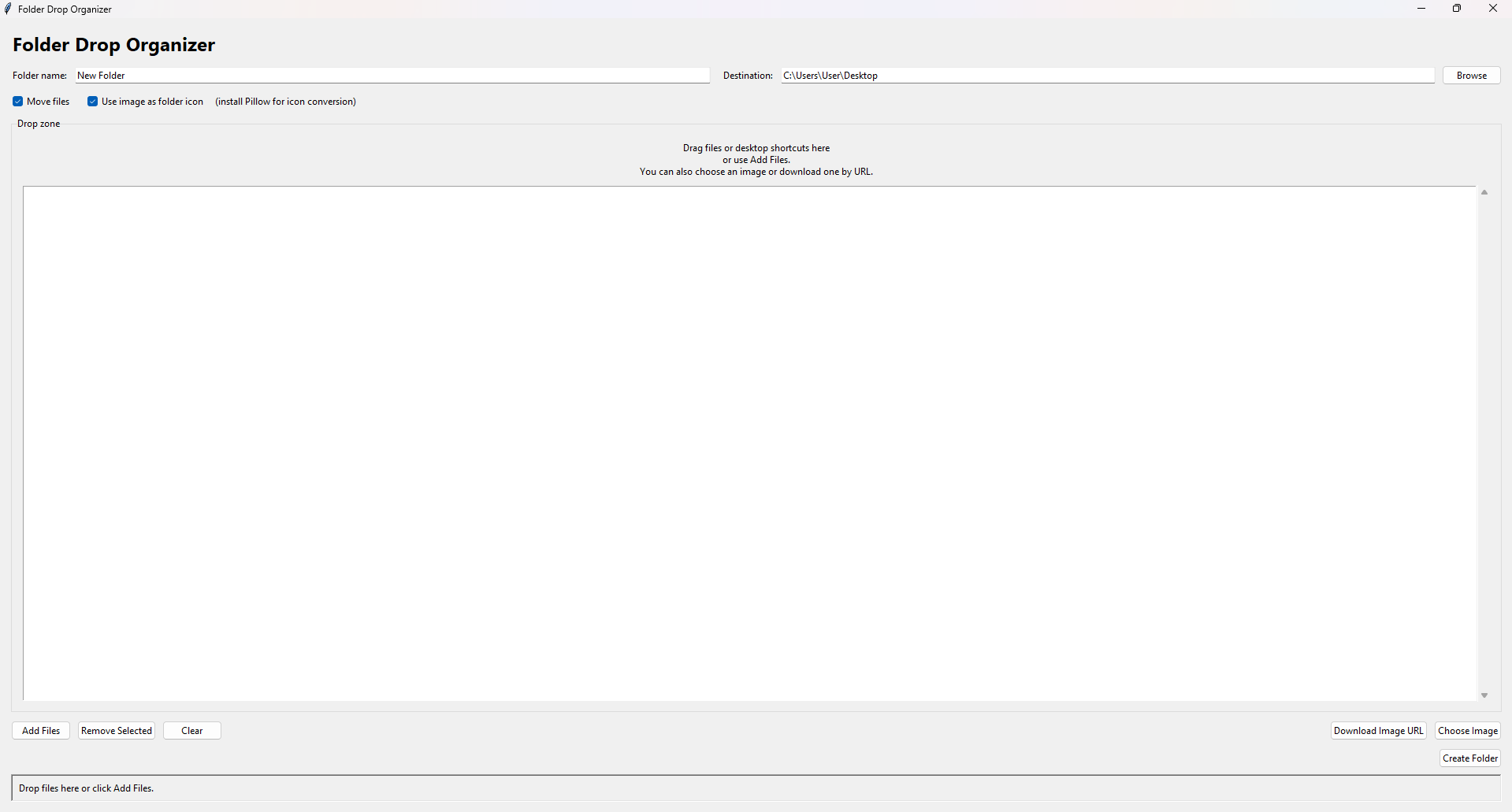
A lightweight, standalone Windows utility to help you clean up your desktop and organize your files. Quickly gather loose files, group them into a brand-new folder, and even set a custom folder icon in just a few clicks.
No installation or setup required—just download the .exe and run it!
✨ Features
- Portable & Ready to Use: Runs directly from the executable. No Python, pip, or external dependencies required.
- Drag & Drop: Easily toss files and desktop shortcuts directly into the app window.
- Quick Organization: Move or copy your selected files into a single, newly created folder instantly.
- Custom Folder Icons: Select a local image or download one via URL, and the app will automatically convert it into an
.icofile and apply it as the new folder's icon to keep your workspace looking fresh. - Safe Fallbacks: If custom icon conversion isn't needed, the app simply copies your chosen image into the new folder alongside your files.
🚀 How to Use
- Launch the App: Double-click the
.exeto bring up the main organizer window. - Set Your Destination: Type a name for your "New Folder" and choose where you want it created (it defaults to your Desktop).
- Add Your Files:
- Drag and drop files or shortcuts right into the Drop zone.
- Alternatively, click Add Files to browse for them manually.
- Customize the Look (Optional): Want a custom folder icon? Click Choose Image to pick a picture from your computer, or Download Image URL to fetch one straight from the web.
- Configure Options: Check the boxes to decide if you want to Move files (or just copy them) and if you want to Use the image as a folder icon.
- Create: Click Create Folder. The app will generate the folder, transfer your files, apply your custom icon, and give you a summary when it's done!
Download
Comments
Log in with itch.io to leave a comment.
Tell me how much did it help you and rate it from 1-10